A yearly conference publishing with IEEE and Springer
Two publication tracks, a scientific committee across several countries, two review rounds and fees in two currencies.
Letters, logos and certificates per track, from the same submissions.
VirteConf manages the complete lifecycle of an academic or professional conference: registration, paper submission, originality screening, peer review, decisions, payments and invoices, the programme, on-site attendance and certificates.
Submissions in one system, payments in an inbox, the programme in a spreadsheet and certificates made by hand after the event. VirteConf connects them, so each step uses data that already exists.
Today
Chasing reviewers by email and averaging scores in a spreadsheet before every decision.
With VirteConf
Assignments, workload, reminders, structured reviews and a suggested outcome per round.
Today
Matching bank receipts to papers by hand and answering "did my payment arrive?" all week.
With VirteConf
PayPal payments verified per paper, uploaded proofs validated by staff, authors notified.
Today
Producing hundreds of certificates manually and resending the ones with misspelled names.
With VirteConf
Certificates generated from your templates, with the name each participant chose.
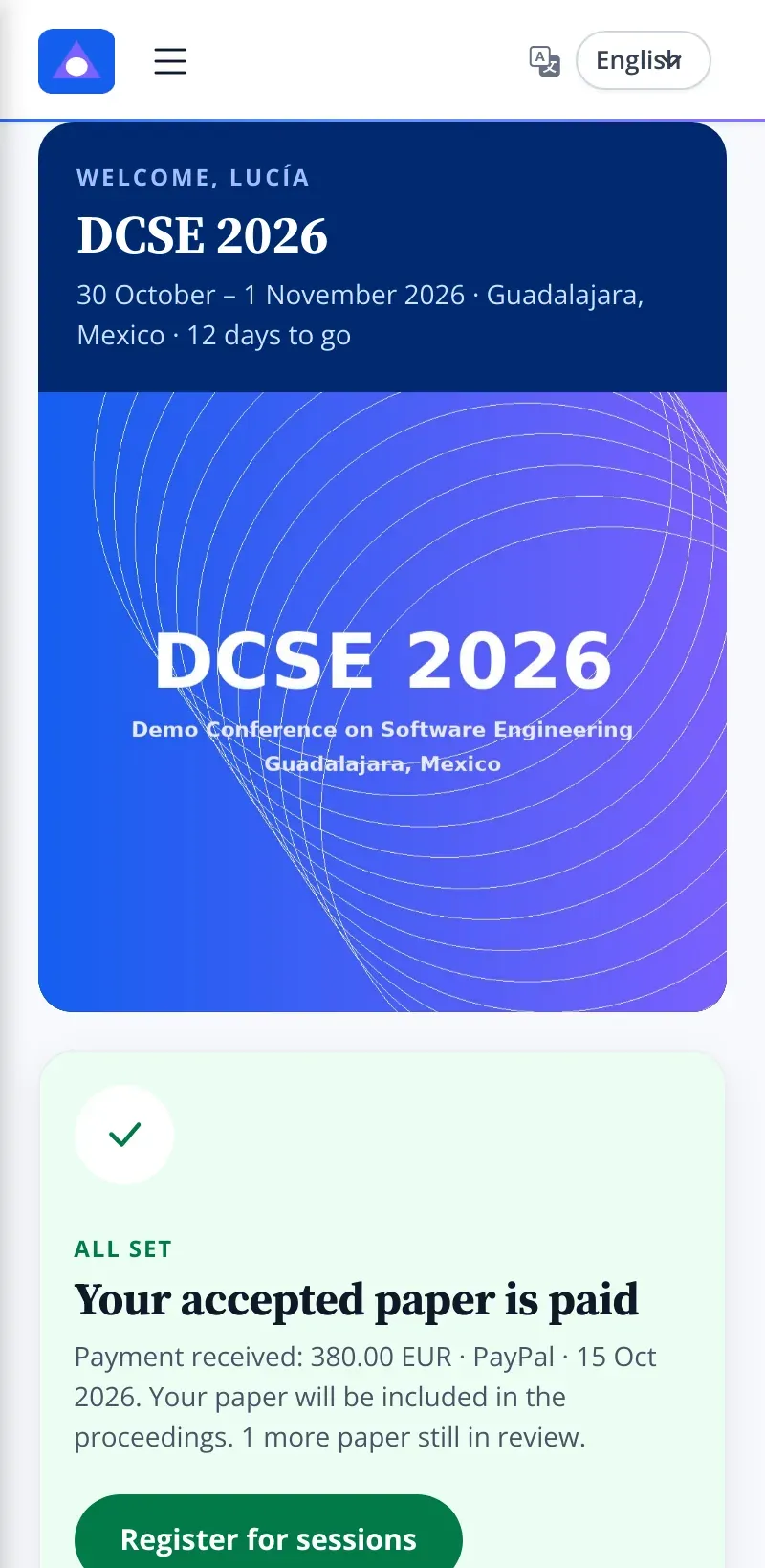
Every screen below is the real product, running a fictional conference, DCSE 2026, with demo data.
Participants sign in with Google or with email and password, and complete a profile with institution (ROR ID), participant type and the exact name to print on certificates. Their dashboard follows their papers, payments, session registrations and welcome kit.
Fewer support emails, because participants can see their own status.
Reviewers see the manuscript and its originality screening side by side and complete a structured form: a six-level recommendation, theory or practice focus, value added, familiarity, best-paper candidacy, and separate comments for authors and the committee.
Invite reviewers with single-use links per edition. Assign papers while seeing each reviewer's current load, send reminders to everyone with pending reviews, and check who has completed each round.
Choose the outcome, adjust the comments that go to authors without altering the reviewers' original text, and send. The platform produces an edit-protected PDF letter with the IEEE or Springer logo and the chair's signature, and emails it to every author.
The amount due follows your edition's rules: first paper, additional papers and extra pages, in MXN or EUR. Authors pay through PayPal, verified automatically against the papers they cover, or upload a bank-transfer proof for staff to validate.
Build sessions, keynotes, workshops and breaks by room and time. Attendees register for sessions, with overlap and capacity checks, and receive a QR pass per session that staff scan at the door.
Upload the background for each certificate type, place the name and title fields, and choose font, colour, alignment and line limits. Participants request their certificates and receive them as PDF.
Send to participants, reviewers, editors or custom lists in batches, with a delivery log. Decision emails have their own editable templates.
Compare editions by country, gender, participant type, publication track, decisions and academic titles.
Each registered session has its own QR code. Staff scan it at the door to record attendance.
The sign-in page carries your conference's name and logo, with a background image of the host city.
Dates, rooms, topics, fees, email, templates and certificates.
Sign in and complete a profile with institution and participant type.
Co-authors, track, topics and manuscript, saved as a draft until complete.
Similarity and AI-writing signals with your risk thresholds.
Assign by workload, remind, collect structured reviews and revisions.
Protected PDF letters with comments for authors, emailed to all authors.
Per-paper fees through PayPal or a validated proof; invoice requests.
Programme, QR passes, attendance, welcome kits and certificates.
Reminders, letters, receipts and certificates come from data already in the system.
Structured reviews, score bands and per-round summaries make outcomes consistent.
Verified PayPal payments and validated proofs, linked to the exact papers they cover.
Reviewers, templates, settings and trends carry over to next year.
Two publication tracks, a scientific committee across several countries, two review rounds and fees in two currencies.
Letters, logos and certificates per track, from the same submissions.
Students register for workshops with limited capacity, some receive scholarships, and attendance is recorded by QR in each room.
Certificates only for sessions actually attended.
The board needs a reliable record of participation, decisions and payments for each edition, and comparisons between years.
One installation that keeps every edition and its trends.
Roles in the platform
System settings, editions, templates, communications and decisions.
Programme, rooms, attendance, welcome kits and participant support.
Reviews proofs and confirms payments, without full admin rights.
Sees assigned papers and completes structured reviews.
Submits, pays, registers for sessions and receives certificates.
Built in
Configurable
Data out
Review, payment, programme, attendance and certificates share the same records.
Score bands tied to each recommendation keep numbers and opinions consistent.
Editions, templates and reviewer pools carry over, with year-on-year trends.
| Need | Forms, email and spreadsheets | Review-only systems | VirteConf |
|---|---|---|---|
| Peer review in rounds | Manual tracking | Covered | Covered, with workload, reminders and compliance per round |
| Fees per accepted paper | Calculated by hand | Usually outside the tool | Calculated and verified per paper |
| Programme and attendance | Separate spreadsheet | Usually outside the tool | Sessions, capacity, QR passes and attendance |
| Certificates | Mail merge after the event | Usually outside the tool | From your templates, gated by attendance |
| Invoices (Mexico) | Emails with attachments | Not covered | CFDI request form sent to your accounting team |
Pricing depends on the size of the event and the services you need. We quote after a demo.
No. Similarity and AI-writing scores are advisory signals with risk levels you configure. The committee makes the decision.
Yes. You upload the certificate background per type and edition and position the fields. Decision letters use your IEEE or Springer logo and your chair's signature.
PayPal with automatic verification, and bank transfers with an uploaded proof validated by staff. Other gateways can be discussed as part of a project.
No. Each edition is archived in the same installation, and lists and reports can be filtered by edition or show all of them.
Yes. The screens on this page show a fictional conference, DCSE 2026; your installation shows your own name, logo, banners and host city.
We walk through submission, review, decision, payment and certificates, and discuss your dates and tracks.